



Payvand PACS

+

Payvand Picture Archiving & Communication System (Payvand PACS)

Payvand PACS

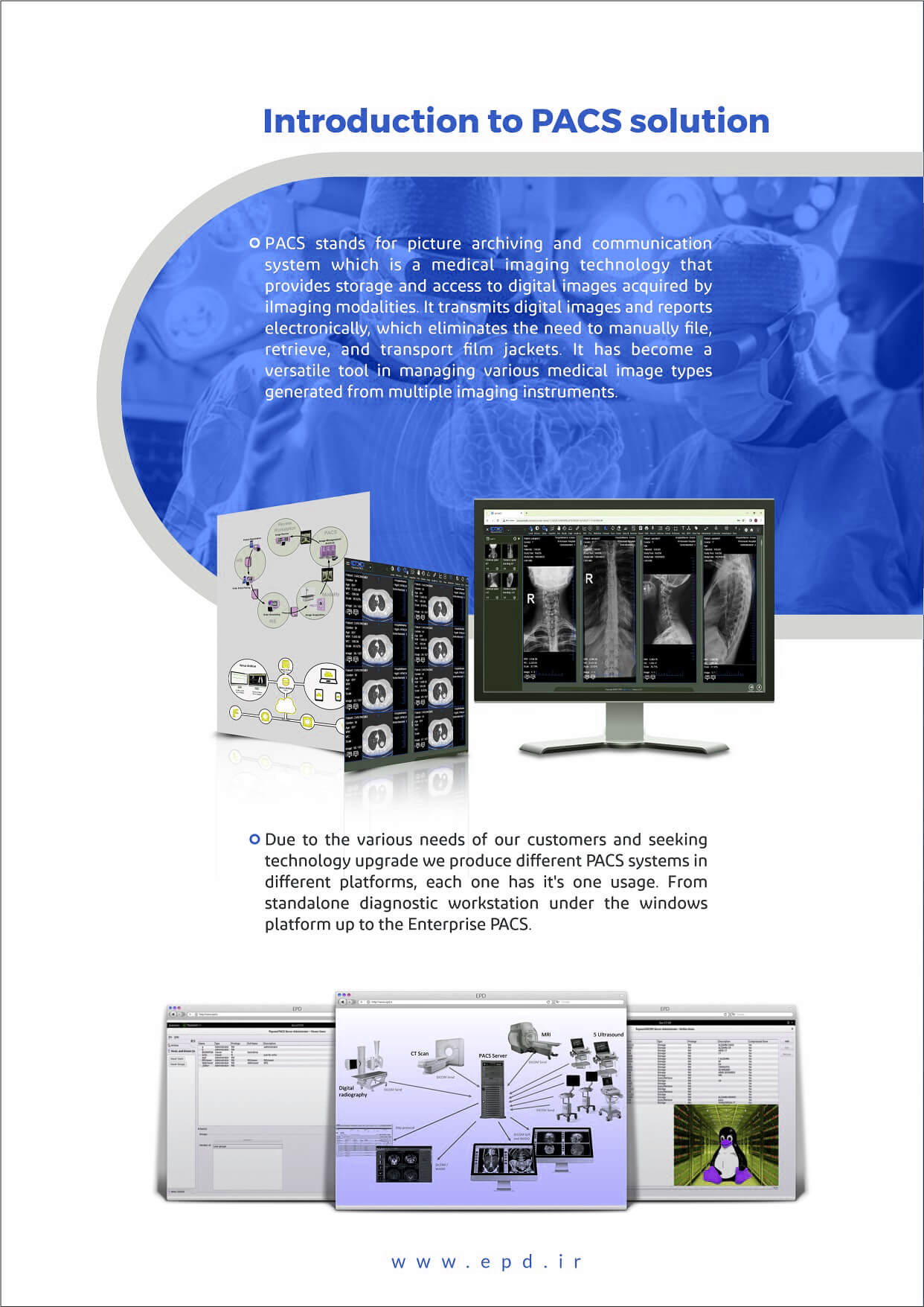
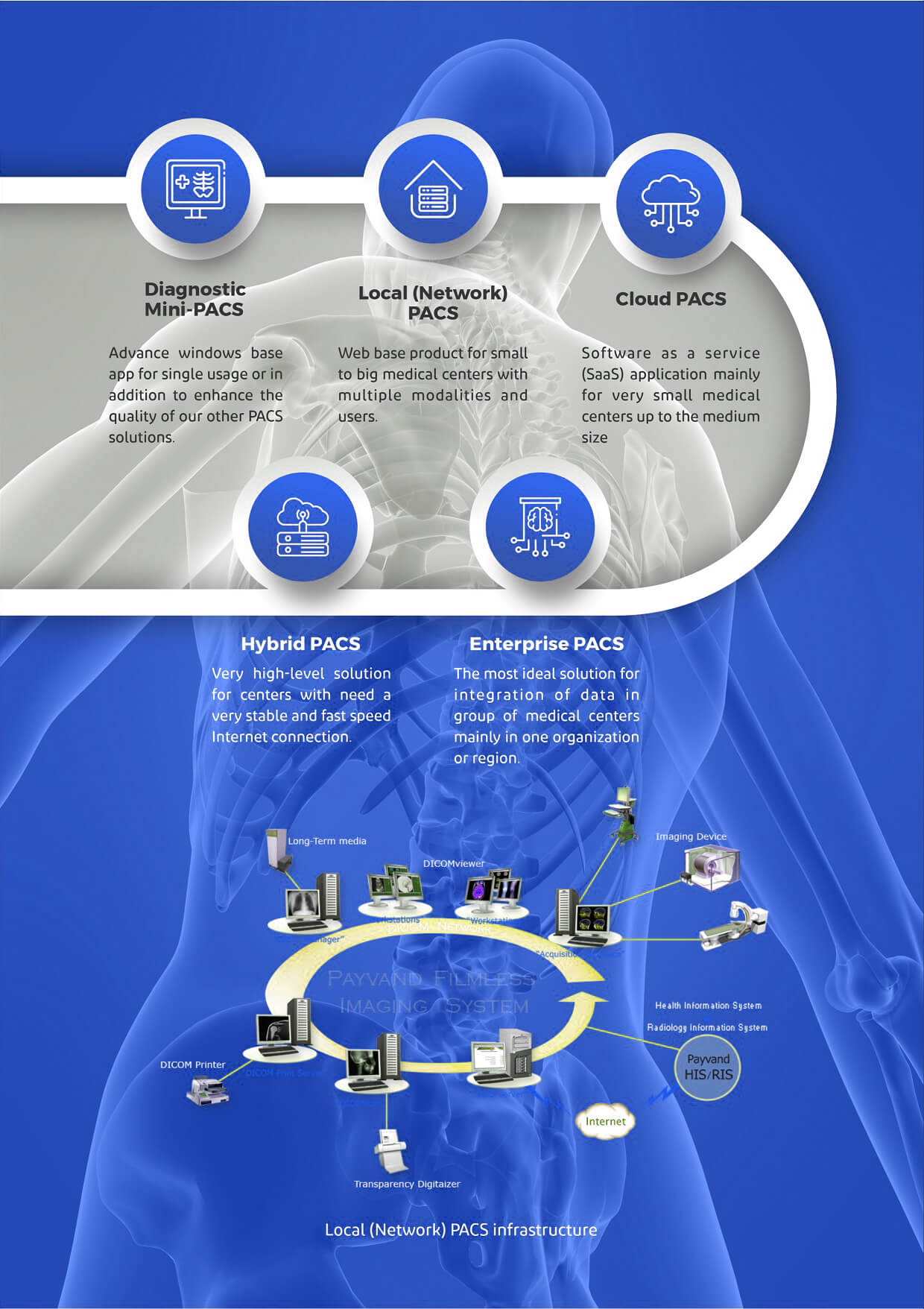
The main task of any PACS system is to connect to a variety of standard imaging modalities, receive DICOM images from them, and store and transfer images in accordance with the DICOM 3 standard. All this process takes place in the link server under the Linux platform. In addition, various security policies are built into the system to ensure that unauthorized persons do not have access.

System intelligence, cloud technology, and easy access from any location and device

Teleradiology

Remote imaging has become one of the urgent needs of medical centers and medical staff, fast, secure and high-quality access to patient images is one of the requirements of a complete PEX. With the help of this software, respected doctors can easily view and process the images and reports of the desired patients via the Internet/Intranet via mobile, tablet and personal computer without any prerequisites or installation of special software, in DICOM format, and also have access to the patient’s history and reports. With the help of this program, the radiologist can record his report remotely and the result can be viewed and printed in the hospital.

System intelligence, cloud technology, and easy access from any location and device

Diagnostic Workstation

In addition to all the general features of a dynamic display, such as changing contrast, size, etc., in diagnostic writing, special features such as the following are available to the treatment staff.

Normally, it is not possible for a respected radiologist to view patient records along with images outside the center. However, PAYVAND Dicomizer software has been able to solve this problem and when viewing images, we can view the patient’s history, summary of the patient’s file, or other items along with the images.

DICOM image display on workstations

DICOM image display on workstations
Authorized users of treatment units have the ability to view patient images along with reports and can process patient information in clinical software as web-based or Windows applications using image processing tools, eliminating the need to provide radiology films to different units of the center.

Correct data exchange between HIS and modality systems

DICOM Worklist
The majority of HIS manufacturing companies do not have the knowledge or even the responsibility to establish data exchange between themselves and the modality. For more than a decade, the Data Link Information Company has been able to operationalize the ability to transfer data from various HIS to standard modalities and store the result in the PACS link. With this capability, RIS information is automatically loaded into the imaging device and there is no longer any need to record the information manually. This capability goes far beyond the ability of the HIS to call up PACS images.

Dental imaging centers

Dental PACS
Dental, maxillofacial and facial imaging centers can use the Dental PACS software package to process, view and store images. There is no longer a need to print dental images, and esteemed colleagues have the ability to view and process their patients' images outside the center on mobile phones, tablets and computers according to the necessary security levels.

Print server system

Print Server
The Print Server Link system has replaced the provision of radiology film in some centers to save costs and protect the environment, and prints images sent from modalities directly onto A3 or A4 paper, which in addition to reducing the center's treatment costs, can be delivered to the patient as a diagnostic aid along with a digital CD of images. The printer's image quality is 8-bit.
System intelligence, cloud technology, and easy access from any location and device

CD Robot software

Due to the excessive increase in the price of hardware CD robots, with the help of this software, there is no longer a need to purchase this tool. The desired images are sent to the software via modality and the system intelligently receives the information and places it in the burn queue. After the patient information is burned, the label printer connected to the system automatically prints the information label and finally the user installs the label on the CD.

System intelligence, cloud technology, and easy access from any location and device

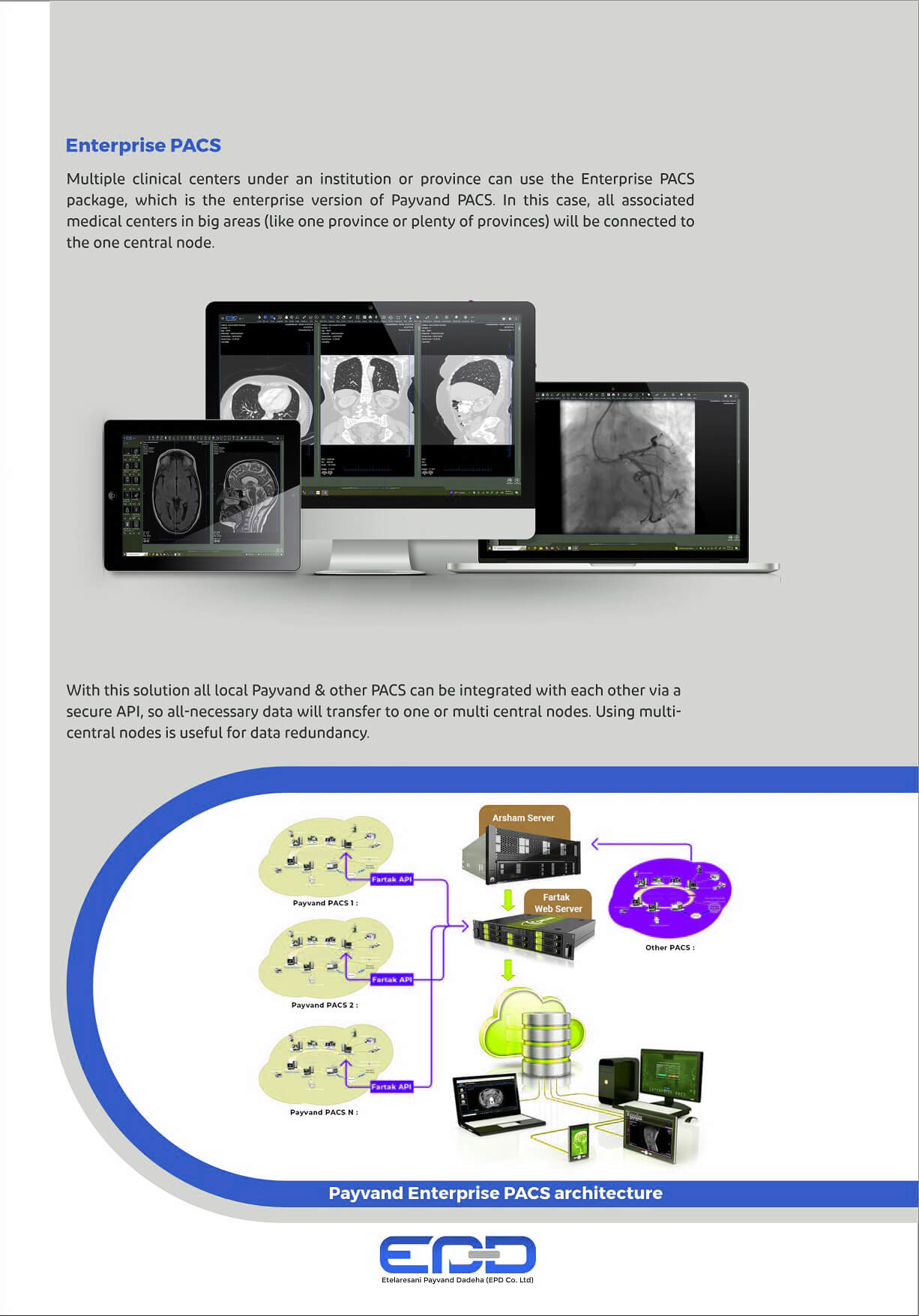
Enterprise PACS

This program is responsible for integrating digital images from different medical centers of a university and allowing for the display of integrated images. In this case, it is easy to access the records of a patient who has undergone various imaging in different centers, which contributes significantly to reducing medical costs along with faster and more accurate diagnosis.

Select the fields to be shown. Others will be hidden. Drag and drop to rearrange the order.
  • Image
  • SKU
  • Rating
  • Price
  • Stock
  • Availability
  • Add to cart
  • Description
  • Content
  • Weight
  • Dimensions
  • Additional information
Click outside to hide the comparison bar
Compare